This has been a long time coming. My basic idea is to leverage the existing scratch community to connect student classes globally.
Link to Published Presentation
Link to Design Planning Document
Friday, December 6, 2013

Sunday, April 21, 2013
Third grade test pilots
I tried out my idea for a collaborative Scratch project, using the third graders as guinea pigs. This was our initial result:
The kids worked in the desktop version of Scratch. I uploaded their projects to the beta site and saved all the sprites in the new backpack feature.
What I liked: I really like the backpack and can see it as a very useful feature, but what I didn't like was that when I uploaded a new project tp grab the sprite, it replaces the old one. SO all the uploading of sprites seems to have to take place at once... or I have to save each iteration. I think probably saving each iteration makes more sense, but is something I need to play around with.
The kids had no trouble at all doing this in one 40 minute period. They made the sprites, with a minimum of 3 costume changes for the animation. I had written a short script to make them dance, but many students made changes to this. The whole concept seemed to make sense to them.
I pulled background images from wikimedia commons of places in the area. This class is familiar with all of these places from their Berkshire diorama projects. I pulled the song for the background from a piece the kids did with Responsive Classroom and their music teacher.
So.. how can this work with other classes? I would envision an initial handshake similar to this project to introduce the classes, then each student could do their own animation as an individual handshake. The classes could work in groups, similar to the current AWL project, but the medium to present would be scratch... background images from photos and a walking , talking sprite to convery the comments.
Still not sure of a lot of details-but liked some of what I did on this so far.
The kids worked in the desktop version of Scratch. I uploaded their projects to the beta site and saved all the sprites in the new backpack feature.
What I liked: I really like the backpack and can see it as a very useful feature, but what I didn't like was that when I uploaded a new project tp grab the sprite, it replaces the old one. SO all the uploading of sprites seems to have to take place at once... or I have to save each iteration. I think probably saving each iteration makes more sense, but is something I need to play around with.
The kids had no trouble at all doing this in one 40 minute period. They made the sprites, with a minimum of 3 costume changes for the animation. I had written a short script to make them dance, but many students made changes to this. The whole concept seemed to make sense to them.
I pulled background images from wikimedia commons of places in the area. This class is familiar with all of these places from their Berkshire diorama projects. I pulled the song for the background from a piece the kids did with Responsive Classroom and their music teacher.
So.. how can this work with other classes? I would envision an initial handshake similar to this project to introduce the classes, then each student could do their own animation as an individual handshake. The classes could work in groups, similar to the current AWL project, but the medium to present would be scratch... background images from photos and a walking , talking sprite to convery the comments.
Still not sure of a lot of details-but liked some of what I did on this so far.
Wednesday, April 10, 2013
FCCT 13-1 Video Project
My topic was Wearable Technology- The Story. To be honest, my first reaction when I saw that we were using the Horizon Report for higher ed was Why? Why not the K-12 report? I have felt like many of the challenges were more focused on skills for projects for older students vs. the AWL or K-2 age groups and I thought, "Oh great, something else that won't be applicable to my work." But... I was wrong. I found the whole topic of Wearable Technology fascinating and learned a lot. Will I use this information in my teaching? Probably not, but it was fun to learn something new and I will now keep up with this developing field. It brought up new questions for me, and I would think it will for others as well. A whole lot of time, energy (both mechanical and people power) and money has gone into and will go into wearable tech. When I look at the investments some companies are making just to make silly (to me) dresses that have blinking LED lights, or a dress that shows your facebook or twitter feed in real time... my first thoughts are- What are you thinking? People around the world are starving, running out of potable water, not being educated and you are using precious resources for this piffle? Then I learned about medical wearable tech and found out that a glove designed to teach someone to play a piano by stimulating the fingers- is now being used successfully with quadriplegics and some can now button a button, go to a restroom, etc, independently. There's a really cool glove for blind people that can tell them if there is a person in front of them and how far away the person is; another gadget can scan regular print and turn it to braille. There are new materials with embedded sensors to record bio-metric data. Can you imagine being able to tell that a firefighter in a burning building was getting into trouble, before he/she could realize it...or that same EMS person could have the building blueprints flash up on his personal screen on an eye-shade and help him find a lost child using blueprints and heat sensors. So, my initial reaction that this was cool, but silly and yet more self-indulgent navel-gazing tech by and for the wealthy folk of the world, has changed, somewhat. Forget arguing about privacy, whether google glass will affect the dating scene or even if it can take very cool videos of your adorable children. Take a step back and say, wow, new tech that can help people. Isn't that the point of all this... to find ways to make lives better- not just cool LED dresses, but cool ways to help make everyone's lives better?
Wearable Technology- The Story from Maureen Tumenas on Vimeo.
Now, off my soapbox... what did I learn about using wikis and collaborating on this project? It was hard. Really hard. And it's not done yet. Trying to work with people that you have never met and who are on a different schedule/timetable than you are and have different expectations, etc. is very difficult. I have given wiki assignments to my students in the past. Their main problems were sabotaging each other and having little wiki wars. I knew that I would not do that, nor would any one do that to me. That was true. However, my collaborators and I are on different schedules and one person decided to drop out at the last minute. What I will do next time- meet in a hangout or some other more f2f place before beginning work. Hash out who is doing what, how we are going to communicate, what each person is bringing to the table, what areas of expertise are represented, and a lot of other questions. I like firm deadlines. Without them, I tend to procrastinate. Actually I procrastinate anyway, but deadlines work for me. Others need more flexibility. I need to work on being proactive, advocating for what I need to get my work done successfully, without being pushy.
Lastly, I used a lot of other people's material in my video... purposefully. Fair use is a muscle that needs to be exercised by more educators. My fair use arguments include: transformative use, used a small portion and most definitely did not affect the market value of the original.
Wearable Technology- The Story from Maureen Tumenas on Vimeo.
Now, off my soapbox... what did I learn about using wikis and collaborating on this project? It was hard. Really hard. And it's not done yet. Trying to work with people that you have never met and who are on a different schedule/timetable than you are and have different expectations, etc. is very difficult. I have given wiki assignments to my students in the past. Their main problems were sabotaging each other and having little wiki wars. I knew that I would not do that, nor would any one do that to me. That was true. However, my collaborators and I are on different schedules and one person decided to drop out at the last minute. What I will do next time- meet in a hangout or some other more f2f place before beginning work. Hash out who is doing what, how we are going to communicate, what each person is bringing to the table, what areas of expertise are represented, and a lot of other questions. I like firm deadlines. Without them, I tend to procrastinate. Actually I procrastinate anyway, but deadlines work for me. Others need more flexibility. I need to work on being proactive, advocating for what I need to get my work done successfully, without being pushy.
Lastly, I used a lot of other people's material in my video... purposefully. Fair use is a muscle that needs to be exercised by more educators. My fair use arguments include: transformative use, used a small portion and most definitely did not affect the market value of the original.
Wednesday, March 27, 2013
Challenge #8: Collaborate and Communicate
 I work with a school in El Salvador on a project which is hosted on a wiki, but it is cooperative, not collaborative. It is more of a repository, than a place for discussion and collaboration. My experience in FCCT on collaborative wiki editing has been a solo adventure thus far. I think that this is a major problem with collaborative work- trying to get everyone together, even asynchronously and having everyone invested in the work.
My examples with my students are from the 2007-8 school year, when I tried out wikis with my 7th and 8th graders. The 7th grade wiki was much more of a collaborative wiki by design-and turned into wiki wars. My 8th graders worked more cooperatively, but each had his/her own page that she/he was responsible for .... this was immediately after the wiki wars in 7th grade. This worked well- but was not collaborative.
Cooperation is a side by side operation, and although the students help one another, they are not dependent upon the work of others and do not edit it. Collaboration is a very different relationship, where you are dependent upon the work of others to get your work done and you actually have to work together- more of a give and take. Collaboration can be modeled and practiced...is that the same as being "taught"? I was frankly amazed at the level of competition within my class and appalled at the wiki wars. My students do not like to work with one another and when their "grade" depends upon the work of another, it is really not pretty.
Most of my recent experience is collaborative editing in Google Docs. Bill and I used this for our quad-bloggging project, co-editing, leaving comments, etc. This was a collaborative effort. In school I have my 8th graders work on a Field Guide to the Everglades before they go on a one week trip in March. Each student shares his/her document with me and with their science teacher. We both comment, ask questions, answer questions and edit- much in the same way one does on the wiki. We also use this in 9th grade history, where all the mjor papers are turned in on Google Docs, commented on by fellow students as part of the editing and review process. This is more of a cooperative effort.
Wednesday, March 20, 2013
Challenge #5 Go Mobile
This is a hard one for me. Until fairly recently we had no cell coverage out where I live, and I refused to get a cell phone that wouldn't work most places. Now that they built a tower that I can actually see from my house- I no longer have that excuse- but still won't use a cell phone. For me, it is just one more added expense for something that I don't need. However- I love my ipad, my ipad mini and my ipod and my kindle fire ( no, actually I don't love the fire- clunky, lousy battery).
But - using my mobile devices or allowing the kids to use them in the classroom is a whole other story. I allow the kids to use devices whenever appropriate- going out in the hall to record, making music on garageband, etc.. I use my ipad mini all the time- taking photos of the whiteboard, using the animoto or Edmodo apps. Taking quick photos or videos of the students at work, documenting work... the list is endless.
One new device I just got recently is the chromebook- like just about everything about it- except no java... I kind of wish there was some way to run portable apps on it as well.
This is a project that we did using ipods/Ipad mini to record and animoto (app) to pull it together. The 3rd graders come in about once a week (not a regularly scheduled class, but they live next door) and we introduced them to Storybird and then used the ipad mini and ipod to take the photos and videos, threw it all together with the Animoto app.
We also used ipads/ipods and animoto for our AWL handshakes in the Fall in 4th grade
This was an experiment last year with the 3rd graders in French class trying out MindSnacks App. The CEO emailed us!
But - using my mobile devices or allowing the kids to use them in the classroom is a whole other story. I allow the kids to use devices whenever appropriate- going out in the hall to record, making music on garageband, etc.. I use my ipad mini all the time- taking photos of the whiteboard, using the animoto or Edmodo apps. Taking quick photos or videos of the students at work, documenting work... the list is endless.
One new device I just got recently is the chromebook- like just about everything about it- except no java... I kind of wish there was some way to run portable apps on it as well.
This is a project that we did using ipods/Ipad mini to record and animoto (app) to pull it together. The 3rd graders come in about once a week (not a regularly scheduled class, but they live next door) and we introduced them to Storybird and then used the ipad mini and ipod to take the photos and videos, threw it all together with the Animoto app.
We also used ipads/ipods and animoto for our AWL handshakes in the Fall in 4th grade
This was an experiment last year with the 3rd graders in French class trying out MindSnacks App. The CEO emailed us!
Challenge #4: Communicate with new tools
 The new tool I used recently was Google Hangout. I had only used it to view some PD online, never to work with another person live. Bill helped me, showing me the ropes. Now I really want to explore this tool in much more depth, as I can see how useful it can be. This is a recent post from Bill about using Google Hangouts.
 The asynchronous tool I used was the new version of SnagIt. It can now record video as well as just take screen shots. A handy dandy tool.The only thing I didn't like was the rough audio- don't know if that is my mic or if it picked up the ambient sound of the machine or what. It posts, quick and easy to youtube or screencast.
Challenge #3: Connect and Reflect

One of the projects mentioned really sparked my interest. It was the Hudson Falls High School WWII Living History Project. Living so close to Hudson, NY, I would have thought I might have read about this, or heard about it in the local news, but I hadn't. The reason this project resonated with me was two-fold. One I have an abiding interest in the topic, enjoying the Paperclip Project video This is a 5 minute preview... you need the Veoh player to watch the whole thing, or rent/buy it from Amazon.
Watch Paper Clips in Educational | View More Free Videos Online at Veoh.com.
The other reason is because it is inter-generational, perhaps hailing back to my interest in folklore and Foxfire as a college student, but more recently because of a project I have done several times for Grandparents Day at my school. I have had my students interview their grandparents and make a Glogster poster about them. These are the best interviews I have ever seen my students do. They talked with their parents and in some cases interviewed them about grandparents that they never knew. They interviewed grandmothers in Mexico, in Spanish, had a parent translate some it, and used these in the posters. One student made a 20 minute movie, an interview, with his grandparents. These brought tears to my eyes and to those of my students, their parents and the grandparents, capturing bits and pieces of the lives of this generation, which will sooner than we would like, be lost forever.
I think the biggest barrier I face as far as getting involved in this type of project is time. I only see the students a couple times a week, and the expectation is that I will not give homework. I have yet to find a classroom teacher at my school who is willing to add this type of project to the curriculum.
Monday, March 4, 2013
DIGITAL CITIZENSHIP ~ GLOBAL AWARENESS
Quad-blogging Assignment
Written by Maureen Tumenas & Bill Krakower
Not a new dream.... Video telephony as imagined in the year 2000, as imagined in 1910.

However, governments around the globe have different ideas about how we can communicate online.
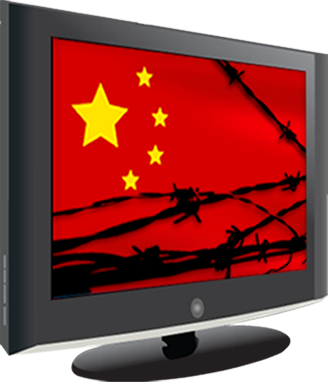
In China and the Middle East sites like Twitter, YouTube and Facebook, which we take for granted in the west are blocked by the governments. One reason given included “If there is no strict legal punishments on the violators in cyberspace, the negative factors will run wild to destroy the Internet order and even incite online violence, which will bring great damage to people and society.”Bloomberg Fears of social unrest abound in the Middle East.“Claims about the Internet’s impact on the political upheaval in the Middle East and North Africa abound in popular discourse and news reports” ( image credit https://en.greatfire.org/sites/all/themes/src/ln2/images/greatfire-logo-big.png )
However, there are social networks in China, and an incredibly high percentage of Chinese university students. “Some 80% of China’s university students are on Weibo and 42% use it every day” http://www.universityworldnews.com/article.php?story=20130111112335850
So, what is blocked, what is not and how does this affect digital citizenship?
One of the most important things we teach our students is to be ethical online. If, in order to connect to one another, in order to use certain tools, teachers and students must use a VPN or in some other way circumvent the established rules and procedures. Is this what we want our students to learn? Is OK to break the rules when you don’t agree with them? Or are we to teach them that government censorship interferes with free speech? Or shall we avoid these issues altogether? My reality, dealing with younger students, is that I do not have to confront the issue. If, however, you are working with older students, who in many countries are used to using twitter, facebook, youtube, etc. to communicate, you must set up and adhere to guidelines which are respectful of all students from all nations, without asking them to break rules. Is this possible? I don’t know. Is this a question that Flat Classroom resolved long ago?
If our own students circumvent the firewalls, set up proxy servers, etc, they are in violation of AUP policies. These policies were set up to protect the students, and the institutions. Is it OK to expect students and teachers in other countries to go around the barriers set up by the governments or local authorities in their countries? Should we ask our students to connect via Sina Weibo (Chinese equivalent of Twitter), so that the students in China do not have to use a VPN. This is soon to be available in with an English interface. Are we unwilling to subject our students to the restraints that their peers face in China or other nations with strong government run internet filters.
 I honestly don’t know the answers to these questions. If, in order to participate in a Flat Classroom project, my kids had to jump into a VPN- I would probably say no. I would expect the project to be able to offer a level playing field for my students, tools that everyone can use. Is this always the case in our projects? Again, I don’t know the answer to this.
“Foreign-run VPNs illegal in China: govt.” “If there is no strict legal punishments on the violators in cyberspace, the negative factors will run wild to destroy the Internet order and even incite online violence, which will bring great damage to people and society.” This is the Chinese govt rationale.
http://www.bloomberg.com/news/2012-12-30/how-china-is-sealing-holes-in-its-internet-firewall.html
Safety is the most important part of doing any project no matter if it is online or offline. In today’s world students need to become experts in both become safe online and when they are out in the real world. Students need to be aware of what they should look out for when they are online and need to realize that not everyone are who they say the are.
Flat Classroom Five Step Guide
Stop: Stop what you’re doing. Don’t keep clicking
Screenshot: Take a screenshot. Save a copy and print a copy
Block: Anyone offensive should be blocked and removed as a friend if he or she is on your friends list.
Tell: Tell your teacher or network administrator (or your parents if you are at home) about the situation and give them a copy of the screenshot. When you have a problem, do not stop speaking out until you find someone who help you.
Share: After talking to your parents and/or teacher, if the incident is appropriate to discuss, share it with other to promote Internet safety. (p. 104-105 Flattening Classrooms Engaging Minds)
Copyright laws vary differently across the world. Fair Use is very different between what is allowed for unpublished school work and allowed for social media. This can have major effects on working on collaborative projects such as Flat Classroom Projects. Students and teachers need to be aware of what the they upload will be bound by different laws depending on where the website company is based.
For Flat Classroom Projects some guidelines:
As nationality transcends culture we must be aware of different expectations around sharing information, personal space, and be wary of discussions of a political nature. What does this mean in a flatclassroom project? What is it and what does it look like? 1. Are there global differences in netiquette? I don’t think so. It seems like we have developed some overarching guidelines online.

 Two of the biggest barriers in global projects are time zone and language issues.Today we have the tools to help overcome some of these issues. We can use Timebridge or other scheduling tools to help schedule meetings. Access to the world clock either through the web, apps or even our watches, can help make us more aware of what our peers around the world are doing and help our students understand time zones, differences in climate between the North and South hemispheres, different school and vacation schedules. These are all considerations as we plan and progress through our global projects.
[caption id="" align="alignleft" width="855"] By Phoenix B 1of3, TZ master [CC0], via Wikimedia Commons[/caption]
How can we overcome the language barriers between countries? We have tools that can help us, such as Google translate, but as many of us are aware, this tool and others like it cannot guarantee a correct translation. Mistakes can and will be made, and all parties need to understand and appreciate the limitations posed by any translation software. Even regional differences and dialects within the same language can cause issues and we, as teachers and students, must always be aware of these potential pitfalls. If we can discuss these with our peers and our students, ahead of time, we can help avoid problems as we try to collaborate with one another.
[caption id="" align="alignnone" width="384"] Lewis, Jessica. stopsign2.jpg. March 2005. Pics4Learning. 4 Mar 2013 <http://pics.tech4learning.com>[/caption]
Developing a strong PLN is critical as we work in a global environment. Some area of the world are easier to connect with, either due to language barriers or lack of, or because time zones make synchronous collaboration easier. Being or becoming a visible presence online is an important skill to teach our students. Students and teachers must also understand that different parts of the world can have a greater influences on your presences on Social Media. Some parts of the world have a great presences where some are not as strong as others.
Internet Censorship in China
The Political Transformation of the Middle East and Africa
How strict are Chinese copyright laws?
A Brief Introduction of Copyright and Its Different Aspects - Nepal
Written by Maureen Tumenas & Bill Krakower
Not a new dream.... Video telephony as imagined in the year 2000, as imagined in 1910.
However, governments around the globe have different ideas about how we can communicate online.
In China and the Middle East sites like Twitter, YouTube and Facebook, which we take for granted in the west are blocked by the governments. One reason given included “If there is no strict legal punishments on the violators in cyberspace, the negative factors will run wild to destroy the Internet order and even incite online violence, which will bring great damage to people and society.”Bloomberg Fears of social unrest abound in the Middle East.“Claims about the Internet’s impact on the political upheaval in the Middle East and North Africa abound in popular discourse and news reports” ( image credit https://en.greatfire.org/sites/all/themes/src/ln2/images/greatfire-logo-big.png )
However, there are social networks in China, and an incredibly high percentage of Chinese university students. “Some 80% of China’s university students are on Weibo and 42% use it every day” http://www.universityworldnews.com/article.php?story=20130111112335850
So, what is blocked, what is not and how does this affect digital citizenship?
One of the most important things we teach our students is to be ethical online. If, in order to connect to one another, in order to use certain tools, teachers and students must use a VPN or in some other way circumvent the established rules and procedures. Is this what we want our students to learn? Is OK to break the rules when you don’t agree with them? Or are we to teach them that government censorship interferes with free speech? Or shall we avoid these issues altogether? My reality, dealing with younger students, is that I do not have to confront the issue. If, however, you are working with older students, who in many countries are used to using twitter, facebook, youtube, etc. to communicate, you must set up and adhere to guidelines which are respectful of all students from all nations, without asking them to break rules. Is this possible? I don’t know. Is this a question that Flat Classroom resolved long ago?
If our own students circumvent the firewalls, set up proxy servers, etc, they are in violation of AUP policies. These policies were set up to protect the students, and the institutions. Is it OK to expect students and teachers in other countries to go around the barriers set up by the governments or local authorities in their countries? Should we ask our students to connect via Sina Weibo (Chinese equivalent of Twitter), so that the students in China do not have to use a VPN. This is soon to be available in with an English interface. Are we unwilling to subject our students to the restraints that their peers face in China or other nations with strong government run internet filters.
I honestly don’t know the answers to these questions. If, in order to participate in a Flat Classroom project, my kids had to jump into a VPN- I would probably say no. I would expect the project to be able to offer a level playing field for my students, tools that everyone can use. Is this always the case in our projects? Again, I don’t know the answer to this.“Foreign-run VPNs illegal in China: govt.” “If there is no strict legal punishments on the violators in cyberspace, the negative factors will run wild to destroy the Internet order and even incite online violence, which will bring great damage to people and society.” This is the Chinese govt rationale.
http://www.bloomberg.com/news/2012-12-30/how-china-is-sealing-holes-in-its-internet-firewall.html
“Rays” of Understanding:Global Awareness:
Safety & Privacy
Safety is the most important part of doing any project no matter if it is online or offline. In today’s world students need to become experts in both become safe online and when they are out in the real world. Students need to be aware of what they should look out for when they are online and need to realize that not everyone are who they say the are.
Flat Classroom Five Step Guide
Stop: Stop what you’re doing. Don’t keep clicking
Screenshot: Take a screenshot. Save a copy and print a copy
Block: Anyone offensive should be blocked and removed as a friend if he or she is on your friends list.
Tell: Tell your teacher or network administrator (or your parents if you are at home) about the situation and give them a copy of the screenshot. When you have a problem, do not stop speaking out until you find someone who help you.
Share: After talking to your parents and/or teacher, if the incident is appropriate to discuss, share it with other to promote Internet safety. (p. 104-105 Flattening Classrooms Engaging Minds)
Copyright, Fair Use, & Legal
Copyright laws vary differently across the world. Fair Use is very different between what is allowed for unpublished school work and allowed for social media. This can have major effects on working on collaborative projects such as Flat Classroom Projects. Students and teachers need to be aware of what the they upload will be bound by different laws depending on where the website company is based.
For Flat Classroom Projects some guidelines:
- Check the websites Privacy Policy you are using
- See what country the site is housed in since laws vary in countries
- Review the Terms of Service for the site
Etiquette and Respect
As nationality transcends culture we must be aware of different expectations around sharing information, personal space, and be wary of discussions of a political nature. What does this mean in a flatclassroom project? What is it and what does it look like? 1. Are there global differences in netiquette? I don’t think so. It seems like we have developed some overarching guidelines online.
Some Guidelines for Flatclassroom Projects
- Try to use professional or school tone- in both verbal and written communications, as well as in the choice of avatar.
- Stay on topic
- Use proper grammar and spelling
- Be aware that bandwidth and choice of online tools may present challenges in different areas. Image CC: By, SA www.sophistry.fm
- Design a policy for images that is respectful of all
Literacy and Fluency:
 Two of the biggest barriers in global projects are time zone and language issues.Today we have the tools to help overcome some of these issues. We can use Timebridge or other scheduling tools to help schedule meetings. Access to the world clock either through the web, apps or even our watches, can help make us more aware of what our peers around the world are doing and help our students understand time zones, differences in climate between the North and South hemispheres, different school and vacation schedules. These are all considerations as we plan and progress through our global projects.
[caption id="" align="alignleft" width="855"]
 By Phoenix B 1of3, TZ master [CC0], via Wikimedia Commons[/caption]
 How can we overcome the language barriers between countries? We have tools that can help us, such as Google translate, but as many of us are aware, this tool and others like it cannot guarantee a correct translation. Mistakes can and will be made, and all parties need to understand and appreciate the limitations posed by any translation software. Even regional differences and dialects within the same language can cause issues and we, as teachers and students, must always be aware of these potential pitfalls. If we can discuss these with our peers and our students, ahead of time, we can help avoid problems as we try to collaborate with one another.
[caption id="" align="alignnone" width="384"]
Lewis, Jessica. stopsign2.jpg. March 2005. Pics4Learning. 4 Mar 2013 <http://pics.tech4learning.com>[/caption]Habits of Learning
Developing a strong PLN is critical as we work in a global environment. Some area of the world are easier to connect with, either due to language barriers or lack of, or because time zones make synchronous collaboration easier. Being or becoming a visible presence online is an important skill to teach our students. Students and teachers must also understand that different parts of the world can have a greater influences on your presences on Social Media. Some parts of the world have a great presences where some are not as strong as others.
Habitudes:
- Global habitudes- looking for connections, reaching out through your PLN
- 3Rs habitudes Receive, Read, Respond
- Consistency
- Outsourcing- connecting through collaboration, co-creation
Additional Resources
Internet Censorship in China
The Political Transformation of the Middle East and Africa
How strict are Chinese copyright laws?
A Brief Introduction of Copyright and Its Different Aspects - Nepal
Sunday, February 24, 2013
#4 BONUS! Set up a Collaborative Calendar
I have set up 3 different collaborative calendars for my school to control resources- laptop cart, graphic design lab and PC lab. These are set up as resources on our Google calendar. Essentially one just adds an event, invites the "resource" to it and if the room or resource is available, it turns up in the guest list and is not available for others at that time.
I also use google spreadsheets to set up parent teacher conference signups for our school. This entails making a spreadsheet for each teacher with blocks of time to choose from, sharing these and putting the links on a blog for access. The only drawback with this is an occasional mistake when a parent overwrites another.
I also have schedule once set up for our google apps domain, but it is rarely used. I set up appointment slots on Google Calendar and shared this with all faculty for summer PD and 1:1 help. This was easy and it worked. Although appointment slots are being dropped, edu accounts will still have them.
I'm looking forward to learning more about timebridge and beginning to use this resource.
I also use google spreadsheets to set up parent teacher conference signups for our school. This entails making a spreadsheet for each teacher with blocks of time to choose from, sharing these and putting the links on a blog for access. The only drawback with this is an occasional mistake when a parent overwrites another.
I also have schedule once set up for our google apps domain, but it is rarely used. I set up appointment slots on Google Calendar and shared this with all faculty for summer PD and 1:1 help. This was easy and it worked. Although appointment slots are being dropped, edu accounts will still have them.
I'm looking forward to learning more about timebridge and beginning to use this resource.
Challenge #3: Connect and Reflect

One of the names in the connection chapter jumped out at me- Foxfire. Back in the early 70s, as an English major interested in folklore, the Foxfire books formed a staple for conversation in several of my classes. This sort of living history was new for me. I attempted to do my own collecting and very quickly found that it was a lot harder than it looked. Some of the collection and sharing of material is serendipitous I imagine, but the sort of mindset and planning that had to go into this sort of collection was more than a not yet 20 yr old could manage. However, when I see the sort of work that was done by students in the Hudson Falls living history project, I know that it can be done and is being done by students all over the globe and if anything today's technologies make that even easier.
Cross generational connections are a favorite project of mine. We celebrate grandparents day at my school every fall. For the last several years I have had students interview their grandparents, make glogs about them and post them online. I have to say that for the most part, the grandparents ( or special friends, dependent upon the family) are appreciative, and are the most fascinating people I have ever met. Several of my students have interviewed their own parents about their grandparents who are deceased. Looking at the faces of my students' parents recalling special times with their own parents is amazing.
So, reading about Foxfire again, really got me thinking.
If it won't load.. link
Link if the embedded presentation just spins
RSS Redux
I first set up an RSS reader about 5 or 6 years ago. I tend to be very conscientious about checking it in the short term, but then end up marking thousands of posts unread. This simply does not work well for me. I will occasionally check my Flipboard app on my iPad, but it is not something that I use on a regular basis.
What works for me... feeds via email. I actually read these and have a folder system set up on my gmail to tag them and put them into folders as they arrive. Curation has changed and RSS is not always the best resource for me.
Currently I tend to collect feeds that help me solve problems. I am looking at chromebooks as a solution to replace a cart of netbooks, so have subscribed to a free from chromebooksedu on google+. I am also interested in ipads in schools, so I subscribe to several scoopits on this topic as well as a scoopit on digital citizenship I use hashtags on twitter and subscribe to a couple of twitter searches to stay current on those.
So, setting up the RSS again.. I found myself wandering about, reading various posts and responding to several: I have not gotten any responses yet. Will I keep up the RSS? My history says no, that I have other means that work better for me- but I'll give it a shot for the next several months and see if the newer tools or different blogs will make me want to check in. Ya nevah know!
http://davidwarlick.com/2cents/?p=3967
http://whatedsaid.wordpress.com/2013/02/15/work-or-learning/
http://edtechpower.blogspot.com/
What works for me... feeds via email. I actually read these and have a folder system set up on my gmail to tag them and put them into folders as they arrive. Curation has changed and RSS is not always the best resource for me.
Currently I tend to collect feeds that help me solve problems. I am looking at chromebooks as a solution to replace a cart of netbooks, so have subscribed to a free from chromebooksedu on google+. I am also interested in ipads in schools, so I subscribe to several scoopits on this topic as well as a scoopit on digital citizenship I use hashtags on twitter and subscribe to a couple of twitter searches to stay current on those.
So, setting up the RSS again.. I found myself wandering about, reading various posts and responding to several: I have not gotten any responses yet. Will I keep up the RSS? My history says no, that I have other means that work better for me- but I'll give it a shot for the next several months and see if the newer tools or different blogs will make me want to check in. Ya nevah know!
http://davidwarlick.com/2cents/?p=3967
http://whatedsaid.wordpress.com/2013/02/15/work-or-learning/
http://edtechpower.blogspot.com/
Subscribe to:
Comments (Atom)