Quad-blogging AssignmentWritten by Maureen Tumenas & Bill KrakowerNot a new dream.... Video telephony as imagined in the year 2000, as imagined in 1910.
However, governments around the globe have different ideas about how we can communicate online.
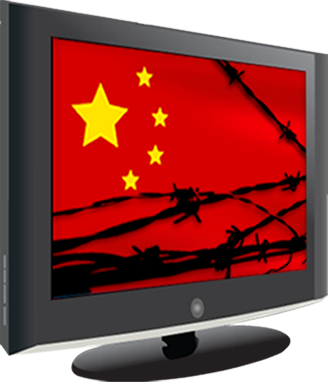
In
China and the Middle East sites like Twitter, YouTube and Facebook, which we take for granted in the west are blocked by the governments. One reason given included “If there is no strict legal punishments on the violators in cyberspace, the negative factors will run wild to destroy the Internet order and even incite online violence, which will bring great damage to people and society.”
Bloomberg Fears of social unrest abound in the Middle East.“Claims about the Internet’s impact on the political upheaval in the Middle East and North Africa abound in popular discourse and news reports” ( image credit https://en.greatfire.org/sites/all/themes/src/ln2/images/greatfire-logo-big.png )
However, there are social networks in China, and an incredibly high percentage of Chinese university students. “Some 80% of China’s university students are on Weibo and 42% use it every day”
http://www.universityworldnews.com/article.php?story=20130111112335850So, what is blocked, what is not and how does this affect digital citizenship?
One of the most important things we teach our students is to be ethical online. If, in order to connect to one another, in order to use certain tools, teachers and students must use a
VPN or in some other way circumvent the established rules and procedures. Is this what we want our students to learn? Is OK to break the rules when you don’t agree with them? Or are we to teach them that government censorship interferes with free speech? Or shall we avoid these issues altogether? My reality, dealing with younger students, is that I do not have to confront the issue. If, however, you are working with older students, who in many countries are used to using twitter, facebook, youtube, etc. to communicate, you must set up and adhere to guidelines which are respectful of all students from all nations, without asking them to break rules. Is this possible? I don’t know. Is this a question that Flat Classroom resolved long ago?
If our own students circumvent the firewalls, set up proxy servers, etc, they are in violation of
AUP policies. These policies were set up to protect the students, and the institutions. Is it OK to expect students and teachers in other countries to go around the barriers set up by the governments or local authorities in their countries? Should we ask our students to connect via
Sina Weibo (Chinese equivalent of Twitter), so that the students in China do not have to use a VPN. This is soon to be available in with an
English interface. Are we unwilling to subject our students to the restraints that their peers face in China or other nations with strong government run internet filters.
 I honestly don’t know the answers to these questions. If, in order to participate in a Flat Classroom project, my kids had to jump into a VPN- I would probably say no. I would expect the project to be able to offer a level playing field for my students, tools that everyone can use. Is this always the case in our projects? Again, I don’t know the answer to this.
“Foreign-run VPNs illegal in China: govt.” “If there is no strict legal punishments on the violators in cyberspace, the negative factors will run wild to destroy the Internet order and even incite online violence, which will bring great damage to people and society.” This is the Chinese govt rationale.
http://www.bloomberg.com/news/2012-12-30/how-china-is-sealing-holes-in-its-internet-firewall.html“Rays” of Understanding:Global Awareness:
Safety & Privacy
Safety is the most important part of doing any project no matter if it is online or offline. In today’s world students need to become experts in both become safe online and when they are out in the real world. Students need to be aware of what they should look out for when they are online and need to realize that not everyone are who they say the are.
Flat Classroom Five Step GuideStop: Stop what you’re doing. Don’t keep clicking
Screenshot: Take a screenshot. Save a copy and print a copy
Block: Anyone offensive should be blocked and removed as a friend if he or she is on your friends list.
Tell: Tell your teacher or network administrator (or your parents if you are at home) about the situation and give them a copy of the screenshot. When you have a problem, do not stop speaking out until you find someone who help you.
Share: After talking to your parents and/or teacher, if the incident is appropriate to discuss, share it with other to promote Internet safety. (p. 104-105 Flattening Classrooms Engaging Minds)
Copyright, Fair Use, & Legal
Copyright laws vary differently across the world. Fair Use is very different between what is allowed for unpublished school work and allowed for social media. This can have major effects on working on collaborative projects such as Flat Classroom Projects. Students and teachers need to be aware of what the they upload will be bound by different laws depending on where the website company is based.
For Flat Classroom Projects some guidelines:
- Check the websites Privacy Policy you are using
- See what country the site is housed in since laws vary in countries
- Review the Terms of Service for the site
Etiquette and Respect
As nationality transcends culture we must be aware of different expectations around sharing information, personal space, and be wary of discussions of a political nature. What does this mean in a flatclassroom project? What is it and what does it look like? 1. Are there global differences in netiquette? I don’t think so. It seems like we have developed some overarching guidelines online.
Some Guidelines for Flatclassroom Projects
- Try to use professional or school tone- in both verbal and written communications, as well as in the choice of avatar.
- Stay on topic
- Use proper grammar and spelling
- Be aware that bandwidth and choice of online tools may present challenges in different areas. Image CC: By, SA www.sophistry.fm
- Design a policy for images that is respectful of all
Literacy and Fluency:

Two of the biggest barriers in global projects are time zone and language issues.Today we have the tools to help overcome some of these issues. We can use
Timebridge or other scheduling tools to help schedule meetings. Access to the world clock either through the
web, apps or even our watches, can help make us more aware of what our peers around the world are doing and help our students understand time zones, differences in climate between the North and South hemispheres, different school and vacation schedules. These are all considerations as we plan and progress through our global projects.
[caption id="" align="alignleft" width="855"]

By Phoenix B 1of3, TZ master [CC0], via Wikimedia Commons[/caption]
How can we overcome the language barriers between countries? We have tools that can help us, such as
Google translate, but as many of us are aware, this tool and others like it cannot guarantee a correct translation. Mistakes can and will be made, and all parties need to understand and appreciate the limitations posed by any translation software. Even regional differences and dialects within the same language can cause issues and we, as teachers and students, must always be aware of these potential pitfalls. If we can discuss these with our peers and our students, ahead of time, we can help avoid problems as we try to collaborate with one another.
[caption id="" align="alignnone" width="384"]

Lewis, Jessica. stopsign2.jpg. March 2005. Pics4Learning. 4 Mar 2013 <http://pics.tech4learning.com>[/caption]
Habits of Learning
Developing a strong PLN is critical as we work in a global environment. Some area of the world are easier to connect with, either due to language barriers or lack of, or because time zones make synchronous collaboration easier. Being or becoming a visible presence online is an important skill to teach our students. Students and teachers must also understand that different parts of the world can have a greater influences on your presences on Social Media. Some parts of the world have a great presences where some are not as strong as others.
Habitudes:
- Global habitudes- looking for connections, reaching out through your PLN
- 3Rs habitudes Receive, Read, Respond
- Consistency
- Outsourcing- connecting through collaboration, co-creation
Additional Resources
Internet Censorship in ChinaThe Political Transformation of the Middle East and AfricaHow strict are Chinese copyright laws?A Brief Introduction of Copyright and Its Different Aspects - Nepal
 I work with a school in El Salvador on a project which is hosted on a wiki, but it is cooperative, not collaborative. It is more of a repository, than a place for discussion and collaboration. My experience in FCCT on collaborative wiki editing has been a solo adventure thus far. I think that this is a major problem with collaborative work- trying to get everyone together, even asynchronously and having everyone invested in the work.


